How Long Does a Robot Vacuum Take to Charge?
Most robot vacuums take about 3 to 6 hours to recharge, but the exact time depends on the model and battery level. Check the manual or app for your model's charging guidance.
On this page (7 sections)
- How long does it take to charge a robot vacuum?
- What affects robot vacuum charging time?
- How can you tell when a robot vacuum is fully charged?
- What should you do if a robot vacuum won't charge?
- Do these robot vacuums have long battery life?
- Does charging use a lot of electricity?
- How long should you wait before scheduling a cleaning?
Most robot vacuums take about 3 to 6 hours to recharge, though the exact time depends on the model, battery level, and charging setup. Check your manual or app for the expected time and the signal that charging is complete.
A robot's advertised runtime doesn't tell you how long it needs to recharge. For example, the Roborock Q7 L5 and Tikom Robot Vacuum and Mop list up to 150 minutes of battery life, while the Shark Navigator AV2120 lists up to 120 minutes.
How long does it take to charge a robot vacuum?
Plan on several hours, often about 3 to 6, for a full charge. The manual for your specific vacuum is the best guide because battery size, charger design, and charging controls differ.
A partly used battery may need less time than a nearly empty one. If you need the vacuum ready for a particular time, dock it well in advance and check its status in the app or on the robot.
How long to charge a robot vacuum the first time?
Use the first-charge instructions in the setup guide for your model. Some models may arrive partly charged, while others may ask you to charge fully before the first cleaning run.
Keep the robot on its dock while it charges, unless the manual says otherwise. Our robot vacuum setup guide covers the basic first-run steps, including choosing a suitable place for the dock.
What affects robot vacuum charging time?
Battery level and a reliable connection to the dock affect how long charging takes. A robot also needs power reaching the dock through its outlet and adapter.
Check these basics if charging seems slower than usual:
- Battery level: A more depleted battery generally needs longer to recharge.
- Dock power: Make sure the dock is plugged in and its indicator shows power, if it has one.
- Charging contact: Align the robot with the dock so the contacts meet.
- Status messages: Check the app or the robot's lights for an error or charging notice.
- Model instructions: Follow any temperature, placement, or storage guidance in the manual.
Don't change the adapter or use an unapproved charger to try to speed things up. If the robot repeatedly stops before charging fully, see why a robot vacuum keeps stopping.
Can a robot vacuum charge overnight?
It can charge overnight if the manual allows normal docking and the charging area is safe. Keep the dock on a dry, stable surface with space around it, and use the supplied adapter.
Many robots are meant to return to their dock between scheduled jobs. Still, follow the model's guidance for long-term storage, since leaving a robot unused for weeks may call for a different battery level or power routine.
How can you tell when a robot vacuum is fully charged?
Use the app, lights, or voice prompt specified by the manufacturer. Indicators vary, so a steady light on one model may not mean the same thing on another.
If the robot has an app, look for a battery percentage or a status such as “charging” or “fully charged.” Without an app, check the manual for the meaning of each light or sound.
Avoid judging by elapsed time alone. A full charge can take longer after a deep discharge, and a robot that is still docked may already be ready for its next run.
What should you do if a robot vacuum won't charge?
Confirm power and dock contact first, then check the app or manual for an error. These checks can resolve simple alignment or outlet issues without changing any settings.
- Confirm the wall outlet works and the dock's power cable is secure.
- Place the robot squarely against the dock so the charging contacts line up.
- Check the contacts for dust, then clean them as the manual directs.
- Look for an error message in the app or on the robot.
- Restart the robot only if its instructions recommend it.
Don't use water or cleaning chemicals on charging contacts unless the manual permits them. If the vacuum still won't charge, contact the manufacturer's support rather than opening the battery compartment.
Do these robot vacuums have long battery life?
The three models here list battery life of 120 or 150 minutes, but that figure is not a charging-time estimate. Actual run time can vary with settings, floor conditions, and the cleaning task.
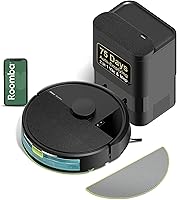
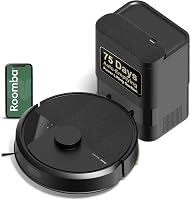
The Roborock Q7 L5 lists 150 minutes of battery life and supports app control for schedules and suction settings. Its dock and adapter are included.
The Tikom Robot Vacuum and Mop also lists up to 150 minutes in quiet mode. It offers app, remote, voice, and button controls, plus four cleaning modes.
The Shark Navigator AV2120 lists 120 minutes of battery life and has recharge and resume, so it can return to charge and pick up cleaning where it left off. The listed components include its charging base.
Does charging use a lot of electricity?
A robot vacuum uses electricity while charging, but the amount depends on its charger and charging pattern. Battery life alone doesn't tell you the energy used for a charge.
For a practical estimate, check the adapter's power rating and your electricity provider's rate. Our guide to robot vacuum electricity use explains how to estimate the cost from power use and charging habits.
How long should you wait before scheduling a cleaning?
Schedule a cleaning after the app or indicator shows the robot is ready. If the vacuum is set to recharge and resume, it may continue a longer job after charging, depending on the model.
For a new robot, finish setup and confirm it can return to the dock before relying on a schedule. Choose a start time that gives the vacuum room to charge first if you haven't confirmed its usual recharge time.
The useful rule is simple: use runtime to estimate how long a job may take, and use the app or manual to judge charging time. If you want scheduled cleaning, see how robot vacuums use electricity and set a routine that leaves enough time between runs.
Frequently asked questions
How long should I charge a robot vacuum for the first time?
Follow the setup guide for your exact model, since first-charge instructions vary. Place the robot and dock on a clear, level surface, connect the dock to power, and let the robot charge until its app or indicator shows it's ready.
Don't assume every model needs an overnight charge.
Can I leave a robot vacuum on its charger all the time?
Many robot vacuums are designed to return to their dock between cleaning jobs, but follow your model's manual for storage and charging instructions. Keep the dock dry, use the supplied power adapter, and avoid covering the robot or placing the dock where heat can build up.
Why does my robot vacuum take so long to charge?
A low battery, an interrupted power supply, or poor contact between the robot and dock can delay charging. Check that the dock is plugged in, the charging contacts are clean and aligned, and the app shows a charging status.
If the problem continues, consult the manual or support.
Does a robot vacuum charge while it cleans?
No, a robot vacuum runs on its battery while cleaning. Some models return to the dock when the battery gets low and resume later, while others may need you to charge them before the next run.
Check your model's manual for its recharge and resume behavior.