Do Robot Vacuums Need Wi-Fi?
No, robot vacuums don't always need Wi-Fi. Some can start with a button or remote, while app features such as scheduling and room targeting usually need a connection.
On this page (7 sections)
- Do robot vacuums need Wi-Fi to clean?
- What can you do without Wi-Fi?
- Which features usually need an app or Wi-Fi?
- Can a robot vacuum run on a schedule without Wi-Fi?
- Is a robot vacuum without Wi-Fi easier to use?
- What should you check before buying a robot vacuum without Wi-Fi?
- Which robot vacuum should you choose if you want to skip the app?
No, robot vacuums don't always need Wi-Fi. Some start from a button or physical remote, while app features such as room targeting, cleaning history, and voice control need a compatible connection.
If you want a basic clean with fewer setup steps, a non-connected model may suit you. If you want to choose rooms or change settings from your phone, Wi-Fi and an app matter more.
Do robot vacuums need Wi-Fi to clean?
A robot vacuum can clean without Wi-Fi if it has onboard controls or a remote. Basic cleaning may start with a button press, while connected models often add app-based options.
The features vary by model. Some vacuums let you start a run and choose a mode from the robot itself; others depend on an app for most controls.
The robot vacuum guide explains the main types and features. For this question, focus on the control method and which functions still work when the network is unavailable.
What can you do without Wi-Fi?
Without Wi-Fi, you may still be able to start a cleaning run, but you can lose app controls. The exact limits depend on whether the vacuum has a remote, onboard buttons, or offline scheduling.
A physical remote can be useful when you don't want a phone involved in everyday cleaning. One-touch controls are simpler still, though they may offer fewer choices than an app.
The ILIFE V2 can start with its physical remote or one-touch button, and it offers auto, spot, and edge cleaning modes. Its preset schedule can run automatically, and Wi-Fi isn't required for operation.
Choose this style if simple starts and a preset routine are enough. If you want to check cleaning history or select specific rooms from your phone, look for an app-connected model.
Which features usually need an app or Wi-Fi?
App-based controls need a connection for setup and use. Depending on the model, those controls can include schedules, cleaning modes, suction settings, room selection, and voice assistant setup.
The Lefant M210 uses its app to switch modes and power levels, set schedules, and check cleaning area. It also supports Alexa or Google Assistant voice commands after setup.
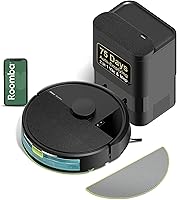
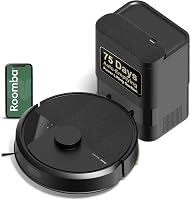
The Roomba 105 Vac uses a 2.4 GHz network for setup and operation. Its app can target rooms, set keep-out zones, adjust suction, and show time estimates and filter life; the vacuum also has robot buttons and supports voice assistant control.
If you want app features, check the Wi-Fi band the vacuum requires and whether your home network supports it. The setup guide covers preparing a robot for its first run.
Can a robot vacuum run on a schedule without Wi-Fi?
Some can, but scheduling works differently across models. A preset schedule stored on the vacuum may run independently, while an app-based schedule may need a connection to create or change it.
The ILIFE V2 supports a preset schedule and does not require Wi-Fi for operation. By contrast, the Lefant M210's schedule is set through the app, so consider how often you want to use your phone to manage cleaning.
Before buying, check whether schedules are saved on the vacuum or depend on an active app connection. Also check what happens after a power interruption or a change to your router.
Is a robot vacuum without Wi-Fi easier to use?
A non-connected vacuum can be easier if you prefer a remote or a single button. It can also be a better fit when you don't need room-by-room settings or phone alerts.
The tradeoff is fewer ways to change a cleaning run. App-connected models can offer more control, but you may need to complete network setup and use the app to reach those features.
For a simpler control mix, the ILIFE V5s Max includes an app, voice, and remote control. The app can set schedules, change suction, check cleaning history, and switch modes, while the included remote offers another way to control it.
The V5s Max supports 2.4 GHz Wi-Fi and has no mapping function. If maps and room selection are priorities, compare those needs with the features to look for in a robot vacuum.
What should you check before buying a robot vacuum without Wi-Fi?
Check the controls, schedule options, and offline behavior before choosing. A model can be advertised with app control while still offering a remote or buttons, but those controls may not replace every app feature.
Use these questions to compare options:
- Can you start it on the robot? Look for a clear button or a physical remote.
- Can it schedule itself? Confirm whether the schedule is stored on the vacuum or managed in an app.
- Which cleaning modes are available offline? Some modes may only be selectable through the app.
- Does it need Wi-Fi during setup or every run? Check both steps, since requirements can differ.
- Does it need a particular network band? The Roomba 105 Vac and ILIFE V5s Max specify 2.4 GHz Wi-Fi.
If privacy is part of your decision, also check what sensors a model uses. Our guide to whether robot vacuums have cameras explains the differences.
Which robot vacuum should you choose if you want to skip the app?
Choose a vacuum with a remote or onboard controls if you want to skip the app. Choose an app-connected model if you need room targeting, detailed settings, or voice control.
The ILIFE V2 is the clearest fit here for no-Wi-Fi operation: it starts with a remote or one-touch button and supports preset schedules. The Lefant M210 and Roomba 105 Vac offer more app controls, while the ILIFE V5s Max combines an app with a physical remote.
If you are still comparing controls with other household needs, how to choose a robot vacuum can help narrow the features that matter. Pick based on how you want to start, schedule, and adjust each cleaning run.
Frequently asked questions
Do robot vacuums need Wi-Fi to work?
No. Some robot vacuums can start from a button or physical remote without Wi-Fi, though app controls and connected features need a network.
Check how a model starts, whether it can run a schedule on the robot itself, and which functions you would lose without the app.
Can a robot vacuum clean without an app?
Yes, if its controls allow a cleaning run without the app. A physical button or remote can be enough for basic starts, but app-dependent features such as room selection, changing suction, and reviewing cleaning history may not be available.
Can I schedule a robot vacuum without Wi-Fi?
Sometimes. A robot with onboard scheduling may run at preset times without an internet connection, while app-based schedules generally require setup through the app and may rely on Wi-Fi.
Check the model's instructions for what happens to saved schedules after the network is disconnected.
What is a good robot vacuum without Wi-Fi?
Look for a model with a physical remote or onboard start button and the cleaning modes you need. The ILIFE V2 is one example: it can start from its remote or one-touch button and supports preset schedules, without requiring Wi-Fi for operation.