Can Robot Vacuums Clean Multiple Floors of a House?
Yes, some robot vacuums can clean multiple floors if they support maps for more than one level. You may still need to carry the robot between floors and set up a dock or cleaning routine for each one.
On this page (7 sections)
- Can robot vacuums clean multiple floors with saved maps?
- Do you have to carry the robot between floors?
- Can a robot vacuum clean upstairs without a second dock?
- What should you check before buying for multiple floors?
- How do you set up maps for separate floors?
- What if the robot doesn't support multiple maps?
- Is multi-floor mapping worth it for your home?
Yes, some robot vacuums can clean multiple floors if they support more than one saved map. You may still need to carry the robot upstairs, select the right map, and plan around having just one dock.
A multi-floor feature helps with navigation, but it doesn't move the robot between levels. Your routine may involve carrying it to each floor and bringing it back to its dock afterward.
Can robot vacuums clean multiple floors with saved maps?
Yes, a robot with multi-floor mapping can remember separate layouts for different levels. It can use the selected map to plan a route around rooms and obstacles on that floor.
The feature doesn't mean the robot climbs stairs or cleans every level in one trip. You still need to move it between floors, and some models need you to select or confirm the map each time.
Roborock says the Qrevo Series supports maps for up to 4 levels. The Q10 S5+ also supports multi-level mapping, so both are options to consider if your home has several floors.
A multi-floor map is useful when rooms, furniture, and cleaning boundaries differ upstairs and downstairs. If your home has several rooms on one level, first see how a robot maps and cleans a home.
Do you have to carry the robot between floors?
Yes, in a typical multi-story home, you carry one robot between levels. The robot stays on the floor where you place it; it cannot travel up or down a staircase.
Think through the lifting step before choosing a model. Consider the route, how often you want each level cleaned, and whether anyone in your household will find moving the robot inconvenient.
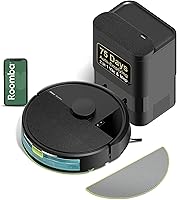
The Roomba 105 Vac has a targeted cleaning feature for rooms or zones, and iRobot says it can recharge and resume a task. Its product information doesn't specify multi-floor mapping, so check whether its mapping setup fits your floor plan before relying on it for separate levels.
For a larger home, compare the floor area and cleaning routine with our guide to robot vacuums for a large house. The right fit depends on how you plan to run it, not just the number of rooms.
Can a robot vacuum clean upstairs without a second dock?
Sometimes, but it depends on how the model handles charging and returning to its dock. With one dock downstairs, you may have to carry the robot back after an upstairs run.
A robot that runs low on battery may need to return to its dock before it can finish. iRobot says the Roomba 105 Vac recharges and resumes its cleaning task, but that feature alone doesn't tell you how it will behave when the dock is on another floor.
The Roomba 115X Combo is described as covering up to 900 sq ft per charge and navigating multi-room layouts. Its information doesn't state that it supports multiple saved floor maps, so confirm map support separately if you need it to clean several levels.
If you plan to use one dock, decide where it will live and how you'll return the robot there. Our robot vacuum setup guide explains the first-run process.
What should you check before buying for multiple floors?
Check multi-floor map support, dock behavior, and the effort of carrying the robot. Those details shape whether the routine will be simple in your home.
Look for clear instructions on how maps are saved and selected. Confirm whether the robot can begin a run away from the dock and what happens if it needs to recharge before finishing.
Floor surfaces and transitions matter too. A robot may map both floors but still struggle with a tall threshold or rug edge, so review robot vacuum transition limits for your doorway and flooring.
The Roborock Q10 S5+ combines multi-level mapping with a self-emptying station. Its station needs a planned location, and moving the robot between floors remains your job.
How do you set up maps for separate floors?
Follow the app and manual instructions to create and save each floor map. Keep the robot on the intended level while mapping, and make sure you choose the matching map before a later cleaning run.
Clear loose cords and small objects before mapping. Keep stair edges unobstructed, and check that the robot recognizes boundaries correctly during a supervised first run.
If you move the dock, the app may need a map update or a new setup step. Use the manufacturer's directions rather than assuming a saved map will automatically adjust to a new dock location.
What if the robot doesn't support multiple maps?
You can still carry it to another floor, but it may not follow a saved layout there. It could need a new mapping step, or you may have to start a less targeted run, depending on the model.
Check the manual before buying if separate room-by-room cleaning matters. For general selection advice, our robot vacuum buying guide covers the features that affect a home's layout and routine.
Is multi-floor mapping worth it for your home?
Choose a multi-map model if you want a robot to remember distinct floor plans. It can make recurring runs easier to manage, but you'll still carry the robot and account for its dock.
For a home with one main level and occasional upstairs cleaning, a simpler setup may be enough if you don't mind moving the robot and starting a run manually. For several regularly cleaned levels, prioritize clear multi-map support and a practical charging plan.
If you want saved maps for up to 4 levels, consider the Roborock Qrevo Series. If you want multi-level mapping with a self-emptying station, compare the Roborock Q10 S5+ and confirm how it handles runs away from its dock.
Frequently asked questions
Can one robot vacuum clean two floors?
Yes, if its mapping system supports multiple floor plans. You may need to carry the robot to the other floor, choose the saved map, and start a cleaning run there.
Check whether it can clean without its dock, since many homes have only one charging station.
Does a robot vacuum need a dock on every floor?
No, a second dock isn't always required, but the robot may need to return to its dock to recharge or empty itself. Check the model's instructions for cleaning away from the dock and whether its saved map recognizes the floor when the dock is elsewhere.
Can a robot vacuum fall down stairs?
Many models use sensors designed to detect stairs, but you should confirm that feature in the manual and keep stair edges clear. Test the robot on a supervised run before relying on it near a drop, especially if dark flooring or unusual step shapes affect its sensors.
How do I set up a robot vacuum for upstairs?
Create or save a map for the upper floor using the app instructions, then carry the robot there and select that map before cleaning. Clear cords and small objects, check stair boundaries, and plan how it will recharge or return to its dock when the run ends.